Contents Menu Expand Light mode Dark mode Auto light/dark, in light mode Auto light/dark, in dark mode Skip to content
FAIR Wizard 4.29 documentation
Light Logo Dark Logo

About

  • Introduction
    • Overview
    • Knowledge Model
    • Document Template
    • Project

Applications

  • Data Management Planner
    • Knowledge Models
      • List
        • Import
        • Detail
        • Preview
      • Editors
        • Create
        • Detail
          • Knowledge Model
          • Phases
          • Question Tags
          • Preview
          • Settings
          • Publish
        • Migration
      • Secrets
    • Document Templates
      • List
        • Import
        • Detail
      • Editors
        • Create
        • Detail
          • Files
          • Preview
          • Settings
          • Publish
    • Projects
      • List
        • Create
        • Detail
          • Questionnaire
          • Metrics
          • Preview
          • Documents
          • Files
          • Settings
          • Sharing
        • Migration
        • Templates
      • Files
      • Documents
    • Settings
      • System
        • Plugins
      • User Interface
        • Dashboard
        • Menu
      • Content
        • Projects
        • Document Submission
      • Info
        • Usage
    • Profile
      • User Settings
        • API Keys
        • App Keys
        • Active Sessions
        • Submission Settings
      • Assigned Comments
      • About
      • News
  • Admin Center
    • Users
      • Invite
      • Detail
    • User Groups
      • Create
      • Detail
    • Import
      • Users
      • Projects
    • Audit Log
    • Automations
    • Settings
      • System
        • Organization
        • Support
        • Users
        • Locales
          • Import
          • Create
        • Features
      • Authentication
        • Internal
        • OpenID
        • SAML
      • User Interface
        • Dashboard and Login Screen
        • Look and Feel
      • Info
        • Plans
        • Usage
    • Profile
      • User Settings
        • Password
        • Language
        • Tours
        • API Keys
        • Active Sessions
        • Submission Settings
      • About
  • Integration Hub
    • Value Integrations
      • Create
      • Detail
    • Profile
      • User Settings
      • About
  • Analytics
    • Knowledge Models
    • Document Templates
    • Projects
    • Users
    • User Groups
    • Settings
    • Profile
      • User Settings
      • About

More

  • Changelog
  • Development
    • Metamodel Schemas
    • Document Templates
      • Document Context
      • Template Development Kit
      • Template Specification
        • Step: archive
        • Step: enrich-docx
        • Step: excel
        • Step: jinja
        • Step: json
        • Step: pandoc
        • Step: rdflib-convert
        • Step: weasyprint
      • Development Notes
    • Integration Questions
      • API
      • Migration
    • Submission Service
    • Integration via API
  • Miscellaneous
    • FAIR Wizard Registry
    • Jinja Cheatsheet
    • Keyboard Shortcuts
    • Markdown Cheatsheet
  • FAQ
Back to top

Knowledge Model Editor

Knowledge model editor is where we build knowledge models. In this section, we will see what entities we can add there, how they are connected, how to work with the editor and how to publish the knowledge model.
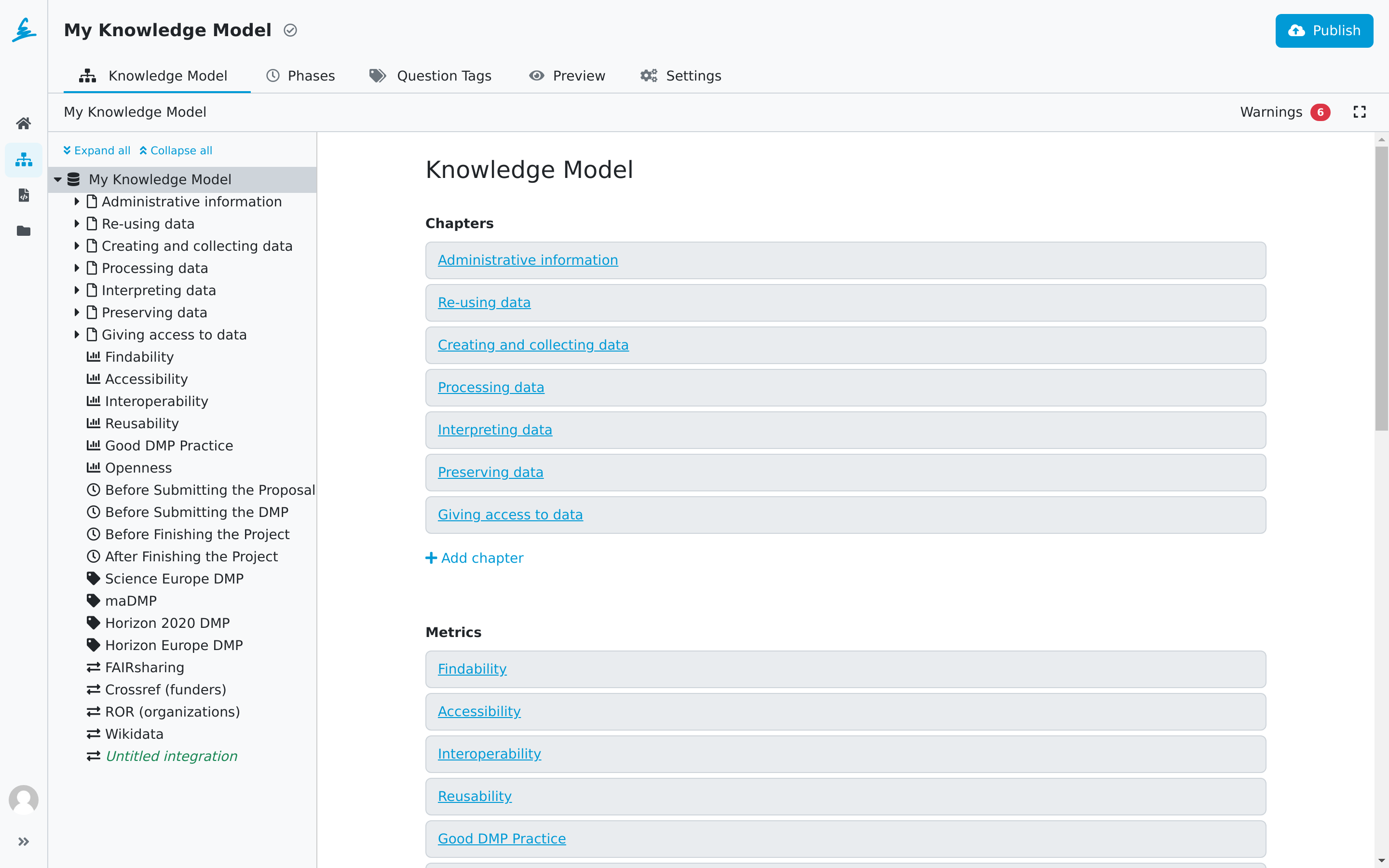
../../../../../_images/km-editor.png

Knowledge model editor.

Table of Contents

  • Knowledge Model
    • Navigation
    • Editors
    • URL Checker
    • Warnings
    • Development with Document Template Editor
  • Phases
  • Question Tags
  • Preview
  • Settings
  • Publish
Next
Knowledge Model
Previous
Create Knowledge Model Editor
Copyright © 2020 - 2026, FAIR Wizard Team
Made with Sphinx and @pradyunsg's Furo