Contents Menu Expand Light mode Dark mode Auto light/dark, in light mode Auto light/dark, in dark mode Skip to content
FAIR Wizard 4.31 documentation
Light Logo Dark Logo

About

  • Introduction
    • Overview
    • Knowledge Model
    • Document Template
    • Project

Applications

  • Data Management Planner
    • Knowledge Models
      • List
        • Import
        • Detail
        • Preview
        • Compare
      • Editors
        • Create
        • Detail
          • Knowledge Model
          • Phases
          • Question Tags
          • Preview
          • Settings
          • Publish
        • Migration
      • Secrets
    • Document Templates
      • List
        • Import
        • Detail
      • Editors
        • Create
        • Detail
          • Files
          • Preview
          • Settings
          • Publish
    • Projects
      • List
        • Create
        • Detail
          • Questionnaire
          • Metrics
          • Preview
          • Documents
          • Files
          • Settings
          • Sharing
        • Migration
        • Templates
      • Files
      • Documents
    • Settings
      • System
        • Plugins
      • User Interface
        • Dashboard
        • Menu
      • Content
        • Projects
        • Document Submission
      • Info
        • Usage
    • Profile
      • User Settings
        • API Keys
        • App Keys
        • Active Sessions
        • Submission Settings
      • Assigned Comments
      • About
      • News
  • Admin Center
    • Users
      • Invite
      • Detail
    • User Groups
      • Create
      • Detail
    • Import
      • Users
      • Projects
    • Audit Log
    • Automations
    • Settings
      • System
        • Organization
        • Support
        • Users
        • Locales
          • Import
          • Create
        • Features
      • Authentication
        • Internal
        • OpenID
        • SAML
      • User Interface
        • Dashboard and Login Screen
        • Look and Feel
      • Info
        • Plans
        • Usage
    • Profile
      • User Settings
        • Password
        • Connected Accounts
        • Language
        • Tours
        • API Keys
        • Active Sessions
        • Submission Settings
      • About
  • Integration Hub
    • Value Integrations
      • Create
      • Detail
    • Profile
      • User Settings
      • About
  • Analytics
    • Knowledge Models
    • Document Templates
    • Projects
    • Users
    • User Groups
    • Settings
    • Profile
      • User Settings
      • About

More

  • Changelog
  • Development
    • Metamodel Schemas
    • Document Templates
      • Document Context
      • Template Development Kit
      • Template Specification
        • Step: archive
        • Step: enrich-docx
        • Step: excel
        • Step: jinja
        • Step: json
        • Step: pandoc
        • Step: rdflib-convert
        • Step: weasyprint
      • Development Notes
    • Integration Questions
      • API
      • Migration
    • Submission Service
    • Integration via API
  • Miscellaneous
    • FAIR Wizard Registry
    • Jinja Cheatsheet
    • Keyboard Shortcuts
    • Markdown Cheatsheet
  • FAQ
Back to top

User Settings

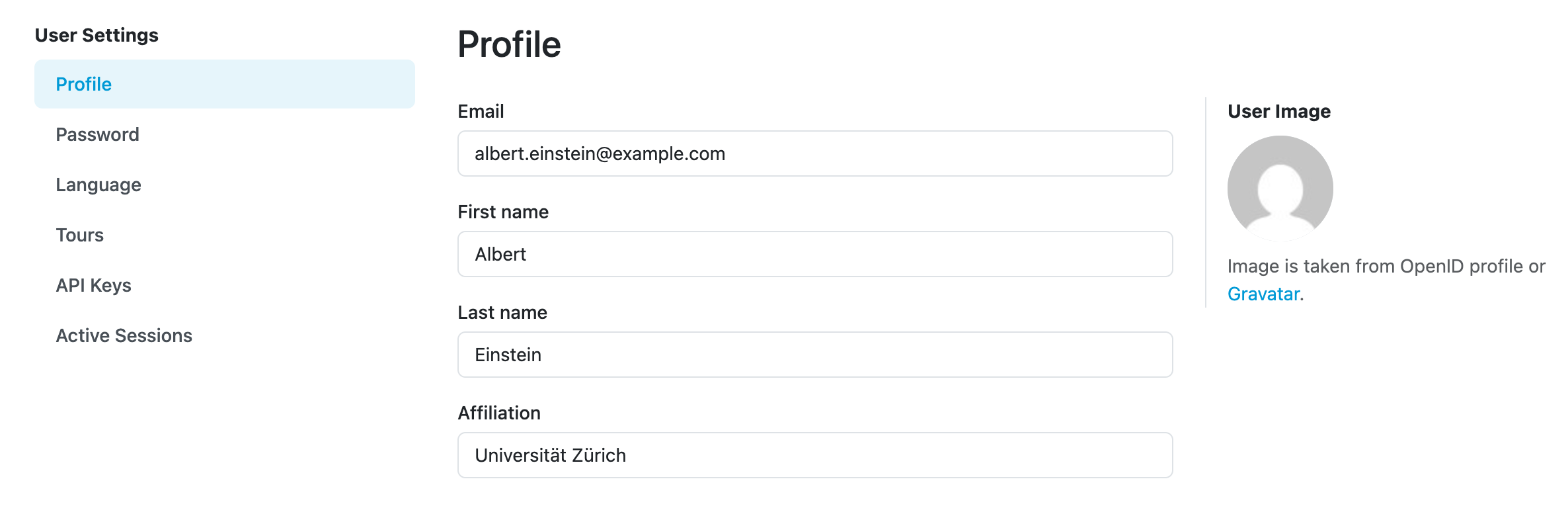
After navigating to User settings from the Profile menu, we open the User Settings. We can edit our Email address, First name, Last name, and Affiliation. We need to submit the changes by clicking Save button.
../../../../_images/form2.png

Form for editing profile.

If we want to Password, we need to switch to Password from the left menu titled User settings.


Table of Contents

  • Password
  • Connected Accounts
  • Language
  • Tours
  • API Keys
  • Active Sessions
  • Submission Settings
Next
Password
Previous
Profile
Copyright © 2020 - 2026, FAIR Wizard Team
Made with Sphinx and @pradyunsg's Furo